Quick Start
To get started building an Agent, navigate to the Agents section in Clerk Chat and click “New Agent”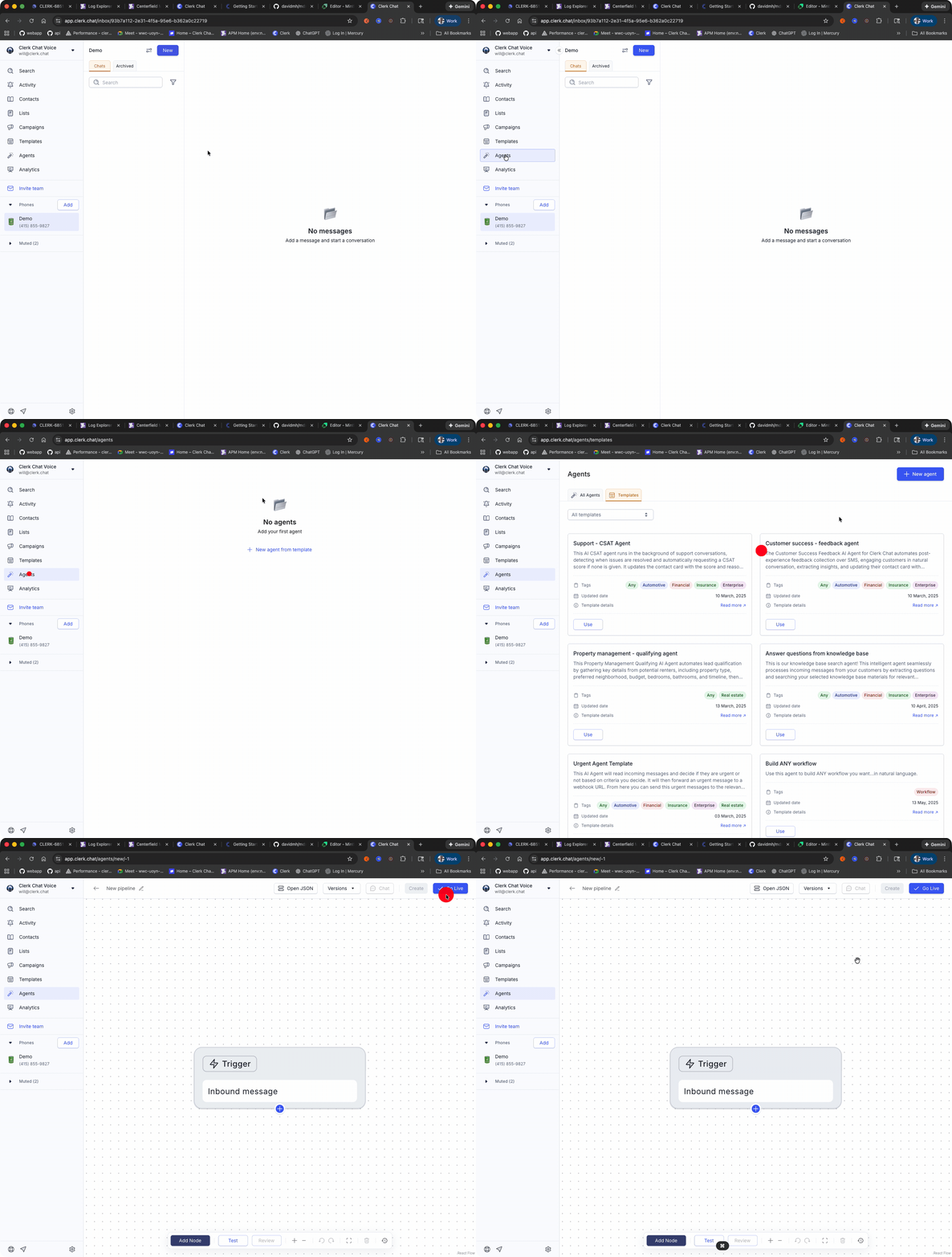
Trigger Setup
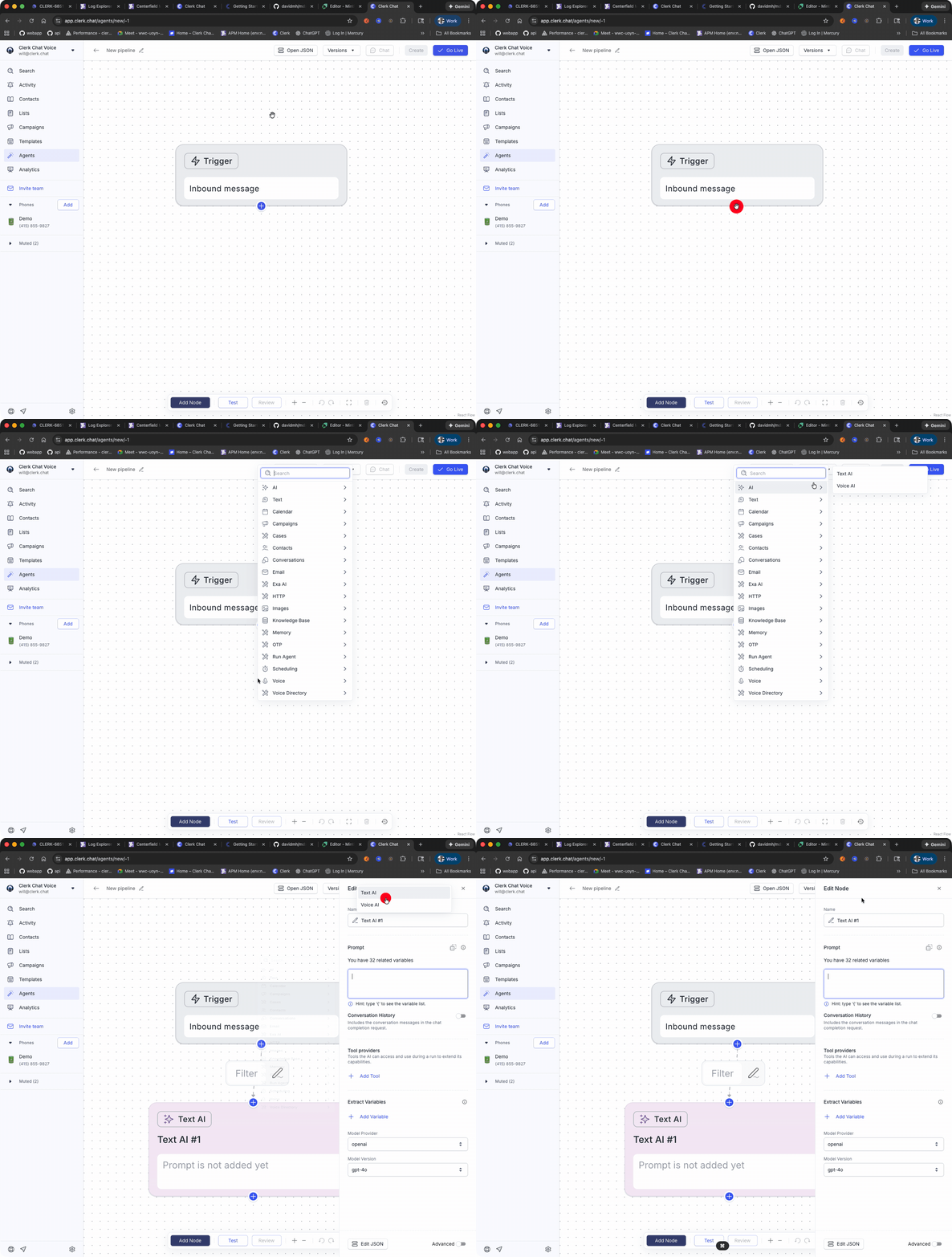
The default trigger isIncoming Message. You can read more about the various Trigger types in Triggers section, but the Incoming Message trigger will fire whenever the Agent receives a message attached to an RCS, WhatsApp or SMS Inbox.
AI Settings
Draw a line from the trigger node and selectAI Text
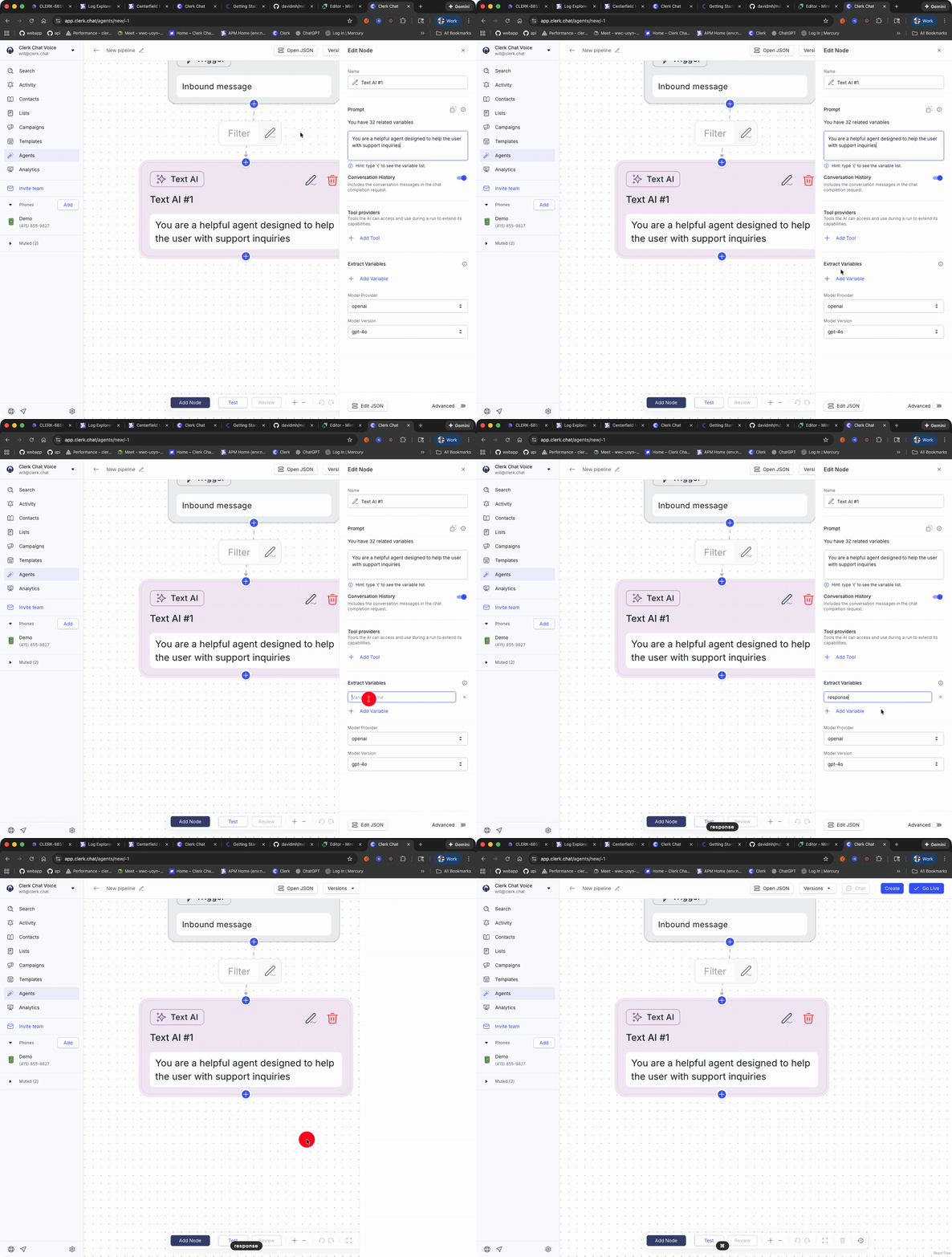
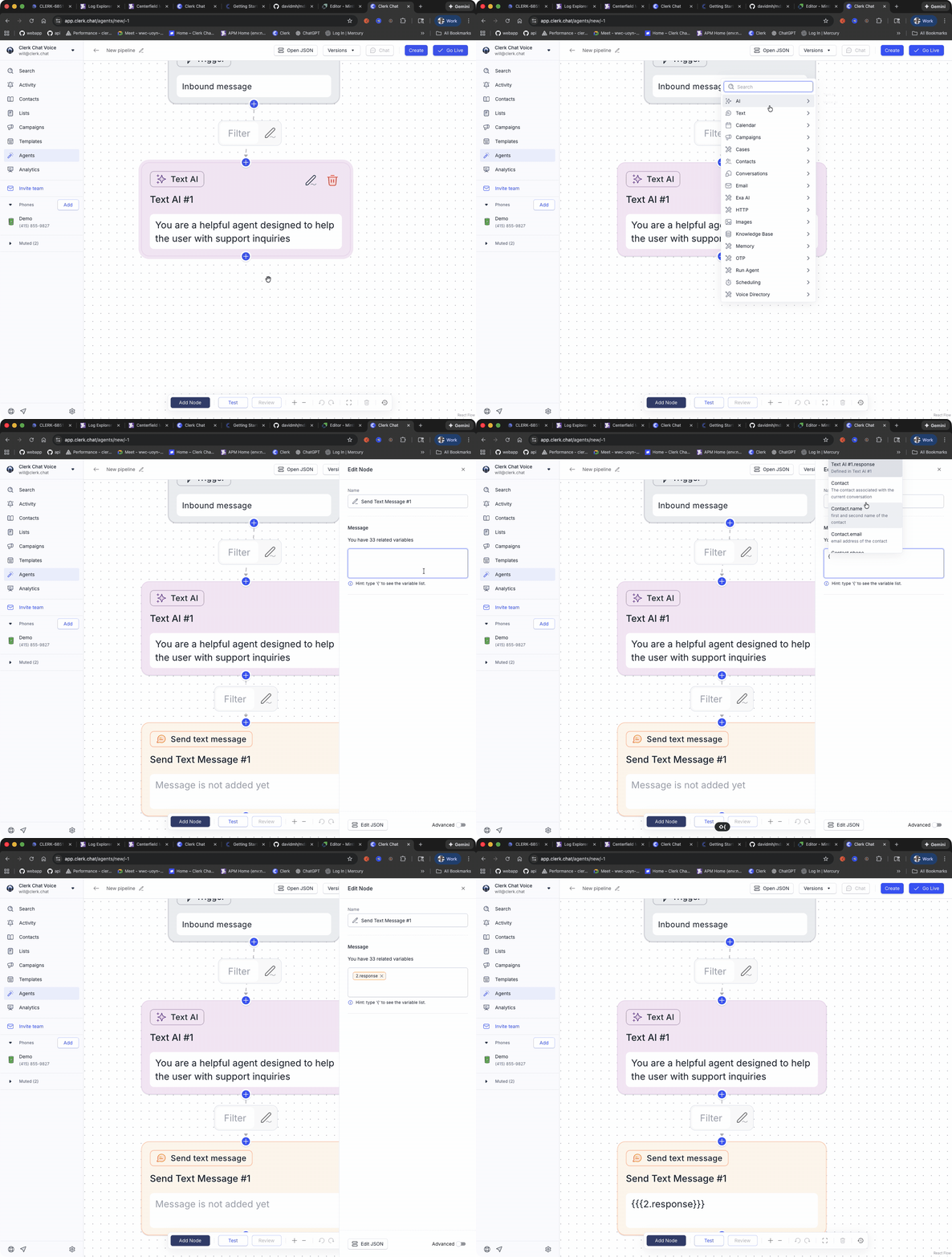
Test Your Agent
You are now ready to test your agent. Save the Agent and click the Chat button to converse with your agent.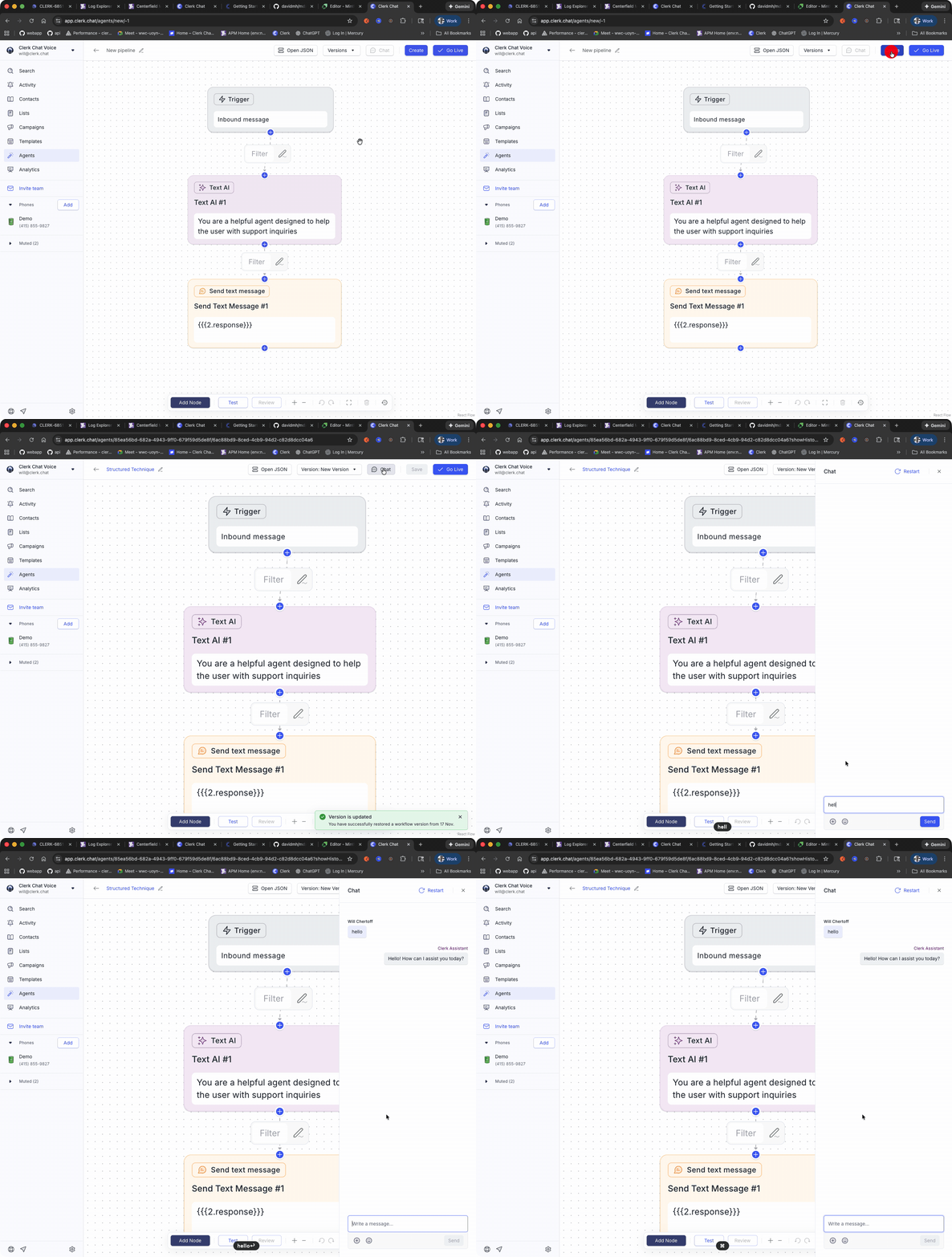
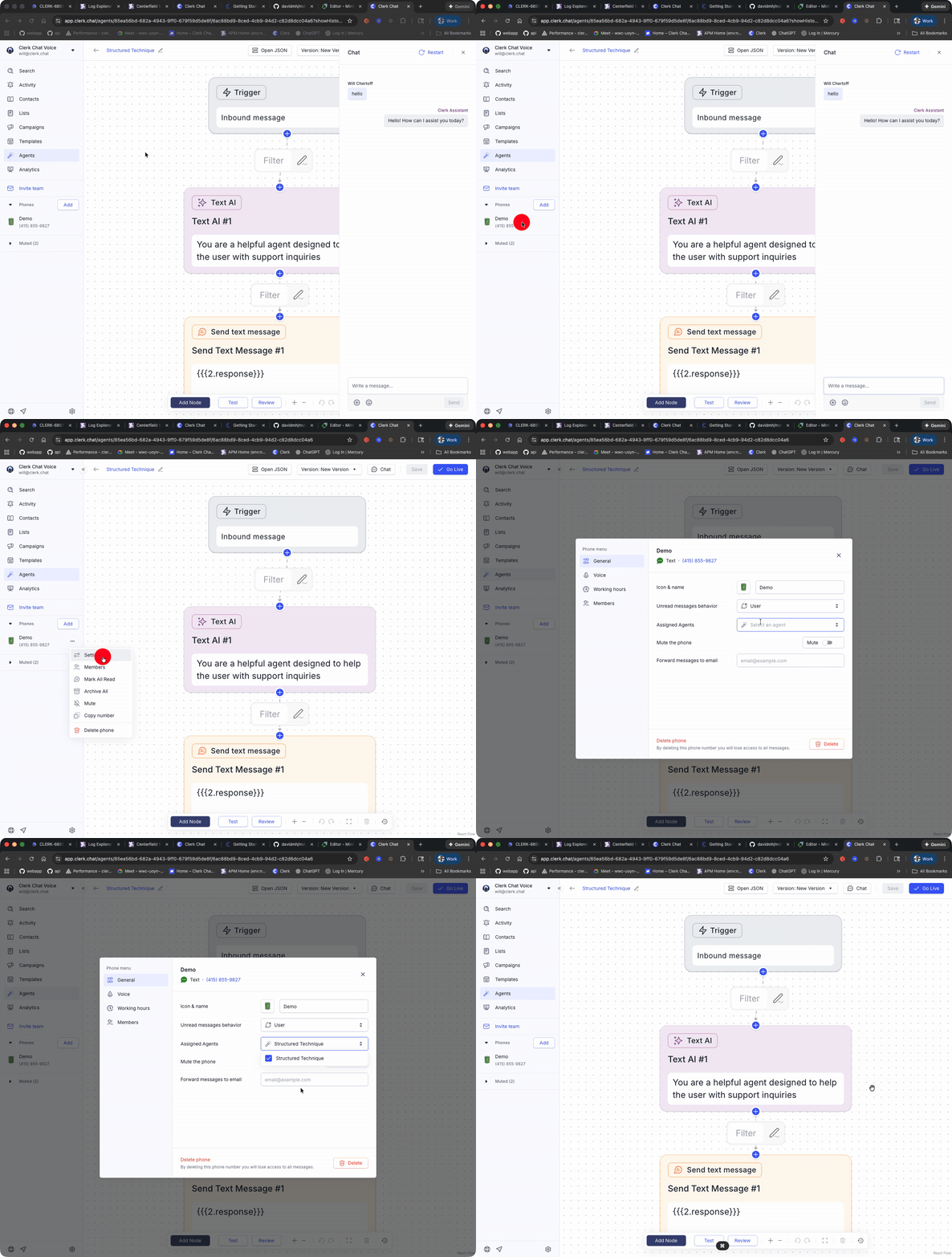
Connect to an Inbox
Once you are satisfied with your agent, you can connect it to an RCS,SMS, WhatsApp Inbox by selecting the agent for the Inbox.